

We may earn a commission if you buy through links on this page. This site is not owned by Omnisend.
Last verified 19 October 2026 by Roshan Jha. Method: checked against omnisend.com/pricing, the official discount codes page and support.omnisend.com. We did not complete a paid checkout.
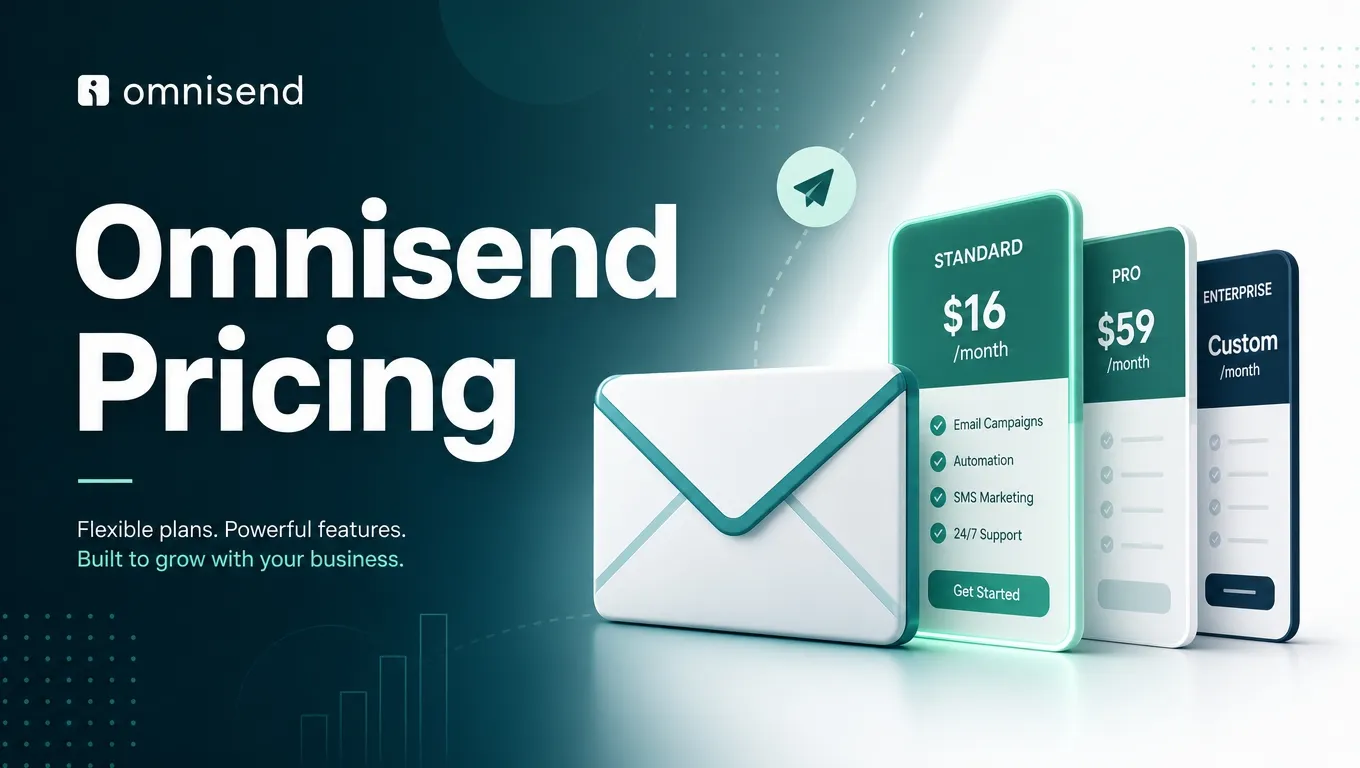
Short answer: Omnisend Free costs $0. Standard starts at $16 a month. Pro starts at $59 a month. Pay 3 months upfront on your first upgrade and you save 30%. The official code YOUFOUNDIT gives 10% off Standard or Pro for 3 billing cycles.
Omnisend runs three main plans, Free, Standard, and Pro, priced by how many contacts you have rather than a single flat fee. Here’s exactly what each tier costs, what’s included, and which plan actually makes sense for your store size.
Want the cheapest way in? See the current Omnisend coupon codes. Our full Omnisend review covers features. Shopping in November? Read what is confirmed for Black Friday 2026.
Omnisend Pricing Overview
Get a complete breakdown of all Omnisend plan tiers, features, and pricing options to find the right email marketing solution for your business needs.
| Plan | Starting Price | Contacts (Entry) | Emails | Best For |
| Free | $0/mo | 250 | 500/mo | Testing the platform, brand-new stores |
| Standard | From $16/mo | 500 | 12x list size (6,000/mo at 500 contacts) | Growing stores focused on email |
| Pro | From $59/mo | 2,500 | Unlimited | High-volume senders wanting SMS + AI |
All paid plans currently show a 30% discount when you pay for your first 3 months upfront, applied automatically at checkout, no separate code needed. After the first 3 months, billing switches to standard monthly rates.
Free Plan: $0/Month
Omnisend’s Free plan is genuinely usable, not a crippled trial. You get:
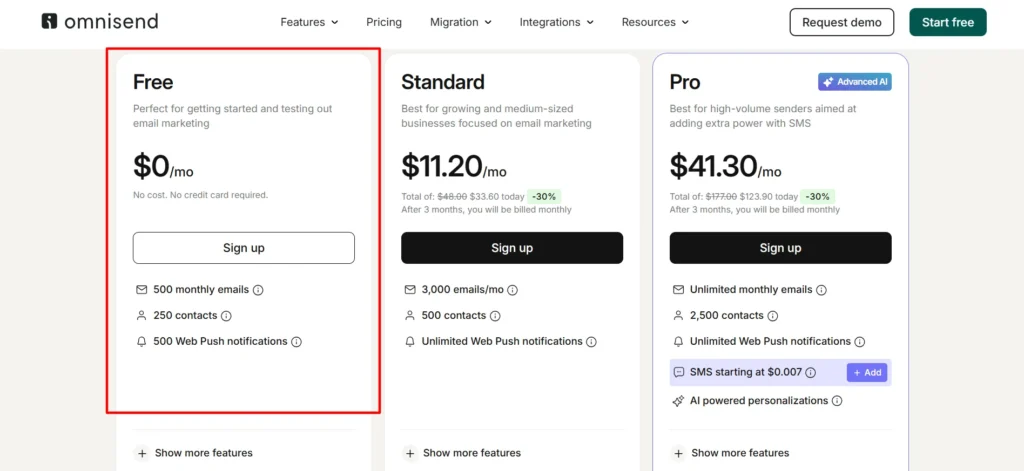
- 500 emails per month
- 250 contacts
- No SMS subscription for new Free users since 4 May 2026 (Pro only)
- 500 web push notifications
- Access to every core feature: automation, unlimited segmentation, forms, the full email builder, and sales and performance reporting
- 24/7 support
The only real limits on Free are volume, emails sent per month and total contacts, not functionality. You can build the same automations, use the same segmentation tools, and access Facebook Custom Audiences and Google Customer Match sync that paid users get. If you’re just starting out, there’s no reason not to begin here and upgrade once you outgrow the caps.
Standard Plan: From $16/Month
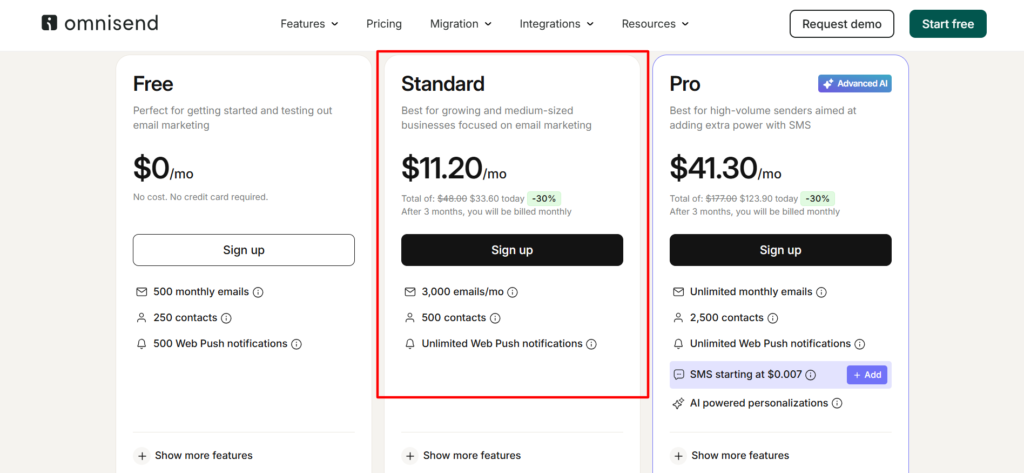
Standard scales with your contact list. At 251-500 contacts, Standard runs $16/month at full price, or $11.20/month if you pay for your first 3 months upfront (a $48 total dropping to $33.60, a 30% discount). Here’s how it scales at higher contact counts:
| Contacts | Standard Monthly Price |
| 500 | $16/mo |
| 2,500 | $44/mo |
| 5,000 | $81/mo |
| 10,000 | $132/mo |
Standard includes:
- Email sends at 12 times your list size per month (6,000 emails/month at 500 contacts)
- Unlimited web push notifications
- Facebook Custom Audiences and Google Customer Match sync
- Full marketing automation, campaigns, unlimited segmentation, forms, and the complete email builder
- Sales and performance reporting
The jump from Free to Standard mainly buys you room to grow, more emails, more contacts, and unlimited web push, without adding new categories of feature. If you’re already using everything Free offers and just need more volume, Standard is the natural next step.
Pro Plan: From $59/Month
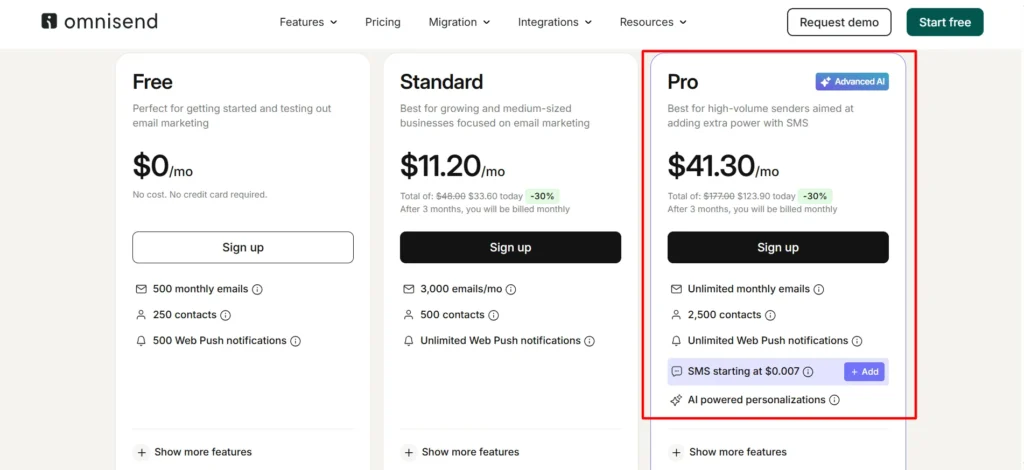
Pro is built for stores that want unlimited email sending and SMS baked into their monthly cost. At 251-500 contacts, Pro runs $59/month at full price, or $41.30/month with the first-3-months discount ($177 total dropping to $123.90). Scaling at higher contact counts:
| Contacts | Pro Monthly Price |
| 2,500 | $59/mo |
| 5,000 | $90/mo |
| 10,000 | $150/mo |
| 25,000 | $400/mo |
Pro includes everything in Standard, plus:
- Unlimited monthly emails, no list-size multiplier cap
- Unlimited web push notifications
- SMS as a separate SMS Credits Subscription, from $0.007 per SMS for high volume US sends. SMS credits are not included in current Pro.
- AI-powered personalizations, marked as an “Advanced AI” feature tier
- Priority support from a dedicated account expert
- Advanced reporting capabilities beyond the standard Sales and Performance Reports
Note the SMS change. Since 4 May 2026, current Pro does not include SMS credits. SMS is billed as a separate subscription. Pro plans bought before 4 May 2026 are Legacy Pro. Legacy Pro includes SMS credits until 26 October 2026. On that date it moves to current Pro automatically. Source: support.omnisend.com.
SMS Pricing as an Add-On
On current Pro, SMS is billed through a separate SMS Credits Subscription. Rates vary by country and by monthly SMS spend. Free and Standard cannot add SMS. The exception is a legacy SMS setup kept from before 4 May 2026.
For the United States, for example, $50/month gets you approximately 5,882 SMS messages, working out to roughly $0.0085 per message at that volume tier. Rates vary by destination country, so check current rates for your specific market before budgeting SMS spend.
What’s Actually Different Between Standard and Pro
If you’re deciding between Standard and Pro, the differences that matter most in practice are:
- Unlimited emails. Standard caps you at 12x your list size; Pro removes that cap entirely. If you send frequently, this alone can justify the upgrade.
- SMS access. For new subscribers, only Pro can add SMS. It is billed separately from the plan.
- Priority support with a dedicated account expert. Useful once your email program is complex enough that a delayed support response could mean a missed campaign window.
- Advanced reporting. Deeper analytics beyond the standard dashboard, useful once you’re making budget decisions based on campaign performance data.
If none of those four specifically matter to your current operation, Standard likely covers what you need at a lower cost.
The 30% First-3-Months Discount, Explained
Every paid plan currently shows a 30% discount when you commit to paying for your first 3 months upfront, rather than billing monthly from day one. This applies automatically at checkout based on the billing option you select, you don’t need a promotional code to get it. After those first 3 months, billing reverts to the standard monthly rate for your plan and contact tier.
The Starter Discount works once, on your first upgrade to a paid plan. There is also one official promo code. YOUFOUNDIT gives 10% off Standard or Pro for the first 3 billing cycles. It is for new and existing users on the Free plan. Whether YOUFOUNDIT stacks with the 30% Starter Discount is not confirmed by Omnisend.
This is worth factoring into your decision: if you’re confident you’ll stick with Omnisend past the first 3 months, prepaying 3 months gets you a real 30% saving over paying month-to-month from the start.
Free Migration If You’re Switching Platforms
If you’re currently on Klaviyo or another email platform, Omnisend will migrate your account for free. Give their team access, and within about 5 days they move every list, flow, segment, and template at no charge, a genuinely low-friction way to switch without losing your existing automation work.
How Omnisend’s Pricing Compares to Klaviyo
Klaviyo is the most common comparison point for Omnisend pricing, since both target the same ecommerce audience. Omnisend’s own pricing page claims you can save up to 35% vs Klaviyo. That is Omnisend’s claim, not our test.
The tradeoff is depth: Klaviyo’s AI-driven personalization and enterprise-scale reporting go further at the top end, but for small to mid-sized stores, Omnisend’s lower price point for a comparable core feature set makes it the more budget-friendly option without a steep drop in functionality.
Pros & Cons: Omnisend Pricing
Pros
- Free plan includes every core feature, not a limited trial, genuinely usable long-term for very small lists
- 30% discount on prepaid plans applies automatically, no code required
- Pro can add SMS with volume based rates, from $0.007 per SMS for high volume US sends
- Pricing tiers scale gradually rather than forcing a huge jump between brackets
- Free, full-service migration removes the switching cost from competitors like Klaviyo
Cons
- SMS costs vary by country, making total cost harder to predict for stores with an international customer base
- Standard’s 12x list-size email cap can feel restrictive for stores that send very frequently
- Pricing increases meaningfully as your contact list grows into the tens of thousands, worth modeling out before you scale
- The 30% discount only applies to the first 3 months; budget for the full-price renewal afterward
Billing Cycles: What Actually Changes Your Rate
Omnisend’s pricing page lets you toggle your contact list size directly, and the rate recalculates live based on where your list actually sits, rather than forcing you into broad, imprecise brackets. This matters in practice: a store with 300 contacts pays a genuinely different rate than one with 480 contacts, even though both fall under a “251-500” display bracket, so always check your exact current contact count against the live pricing slider rather than assuming the bracket’s headline number applies precisely to you.
The main billing choice you’ll make at signup is between paying monthly from the start, or prepaying your first 3 months to unlock the 30% discount. There’s no long-term annual contract requirement, once your initial 3-month prepaid term ends, billing simply continues month-to-month at the standard rate for your current contact tier, and you can cancel or downgrade at any point without a penalty for breaking a longer-term commitment.
Beyond 25,000 Contacts: Enterprise Pricing
If your list exceeds Pro’s published tiers (25,000+ contacts), Omnisend offers custom enterprise pricing rather than a fixed published rate. At this scale, it’s worth requesting a demo directly, Omnisend offers a 15-minute meeting with their team specifically to walk through pricing and features suited to larger operations, rather than trying to reverse-engineer a custom quote from the published tier structure.
Which Plan Should You Actually Choose?
If you’re brand new to email marketing or running a very small store, start on Free. There’s no reason to pay before you’ve tested whether the platform and your content strategy actually convert. Move to Standard once you exceed 500 emails a month or 250 contacts, the natural growth trigger most stores hit within their first few months of active list-building.
Upgrade to Pro once you’re sending frequently enough that Standard’s 12x cap becomes limiting, or once SMS access and priority support genuinely offset the price difference for your operation. For most stores, that transition point arrives once you’re running consistent, multi-touch automation across a meaningfully sized list rather than occasional one-off campaigns.
FAQs: Omnisend Pricing
It’s my first time trying email marketing. Can I use Omnisend for free?
Yes, you can sign up for the Free plan and use Omnisend for an unlimited time, sending up to 500 emails a month. You’ll get access to campaigns, signup forms, automation, and segmentation from day one, and you can upgrade to a paid plan whenever you’re ready to scale beyond the Free tier’s limits.
Will the Free plan give me access to all the features of the paid plans?
Mostly. Omnisend says Free includes the features of paid plans. Limits are 500 emails a month and 250 contacts. SMS is the exception for new users. Since 4 May 2026, Free users cannot add an SMS subscription.
I can’t decide between Pro and Standard. How do I choose?
The main reasons customers upgrade from Standard to Pro are unlimited emails, SMS access, priority support from a dedicated account expert, and advanced reporting capabilities. If none of those specifically apply to your situation yet, Standard is likely the more cost-effective choice for now.
Does the 30% discount require a coupon code?
No, it applies automatically at checkout when you choose to prepay for your first 3 months rather than billing monthly. No separate code is needed for this standard offer.
How does Omnisend pricing scale as my contact list grows?
Both Standard and Pro pricing increase in tiers based on total contacts, from around 500 contacts up through tens of thousands. Check the exact rate for your current list size directly on Omnisend’s pricing page, since rates for your specific tier may shift slightly over time.
Is SMS included in the base price of any plan?
Not on current plans. Since 4 May 2026, SMS is a separate subscription on Pro only. Free and Standard cannot add it, unless they kept a legacy SMS setup from before that date. Legacy Pro includes SMS credits until 26 October 2026.
Can I switch plans later if my needs change?
Yes, you can upgrade from Free to Standard or Pro, or move between Standard and Pro, as your contact list and sending needs grow. There’s no requirement to commit to a single tier long-term.
Is there an Omnisend promo code for pricing plans?
Yes. YOUFOUNDIT is the only official Omnisend promo code. It gives 10% off Standard or Pro for the first 3 billing cycles. Enter it in the promo code field at checkout.

About the author: Roshan Jha
Roshan Jha is an SEO expert focused on helping brands grow through search-first content strategy, technical SEO, and data-driven digital marketing. He specializes in building scalable organic growth systems, covering keyword research, on-page optimization, topical authority, site audits, and conversion-focused content planning. With a practical, results-oriented approach, Roshan works with businesses to improve rankings, increase qualified traffic, and turn visibility into measurable revenue. Follow Roshan Jha on LinkedIn.